
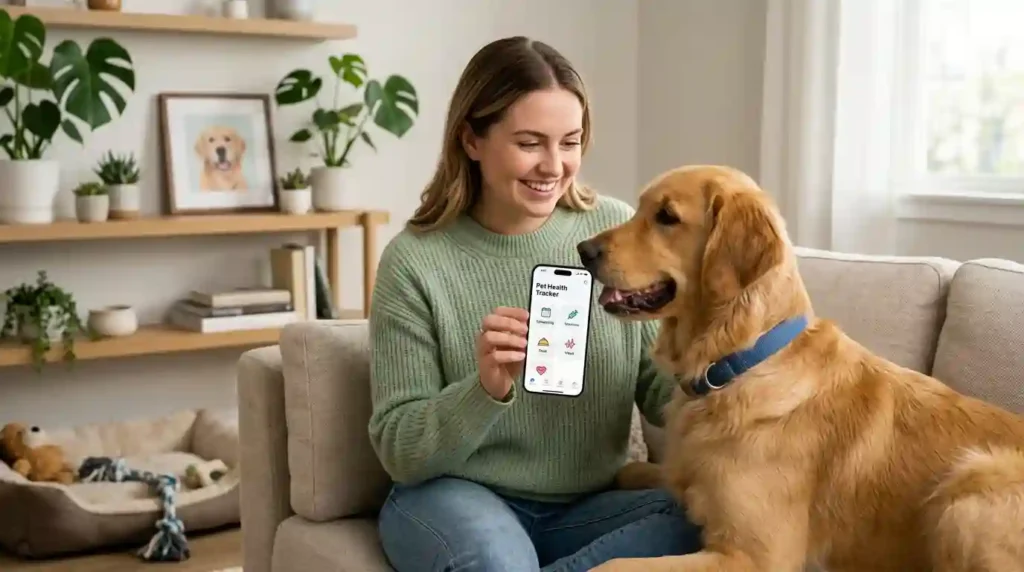
It was 9 p.m. in Denver, and I was standing in my kitchen with my phone in my hand. I could not remember when my dog had her last vaccine. I also could not remember if I gave the flea treatment this month. Then I found a photo of my cat asleep in the laundry basket. “আবার কী করল?” I said. That means, “What did you do this time?” After years of testing tools, I can tell you the best pet health apps are not the ones with the most features. They are the ones that help you record, remember, monitor, and share health facts without the confusion.
What Is a Pet Health App?
A pet health app is a digital tool on your phone. It helps you manage or watch some part of your pet’s health and care. Some apps store records. Some send reminders. Some track weight or activity. A few connect you with your vet.
Think of it as a pocket-sized notebook that can also nudge you. It does not diagnose your pet. It helps you stay organized so your vet has better facts.
What Can Pet Health Apps Do?
Most apps cover a mix of these jobs:
- Health records
- Vaccination reminders
- Medication reminders
- Veterinary appointments
- Weight tracking
- Activity tracking
- Nutrition tracking
- Symptom notes
- Medical documents
- Prescription information
- Vet communication
- Telehealth
- Pet profiles
No single app does all of these well. That is normal. Pick the jobs that matter most to you and your pet.
Pet Health App vs Pet Wellness App
These two terms sound alike, but they lean in different directions.
Health management focuses on medical care. It covers records, medications, vet appointments, and treatment details.
Wellness management focuses on daily life. It covers weight, exercise, food, grooming, and habits.
Many apps blend both. Still, it helps to know which side you need most. A pet on daily medication needs strong health tools. A healthy young dog may need more wellness tools. If you want a wellness tool that is not an app, try our best pet wellness calculator guide.
Pet Health App vs Pet Tracker
A pet tracker usually means a GPS device. It tells you where your pet is. That is helpful if your dog slips out the gate. But it tells you little about health.
A health app tells you how your pet is doing over time. Some devices and apps do both. Even so, the two features are separate. Do not assume a GPS collar will store vaccine records.
What Makes the Best Pet Health App?
I always set my criteria first. Then I look at apps. This keeps me from falling for a flashy screen.
Reliable Health Records
Good records are the core of any health app. Look for space to store:
- Vaccine history
- Lab results
- Prescription details
- Medical notes
- Vet documents
- Microchip information
If an app cannot hold these, it is more of a reminder tool. That is fine, but know what you are getting.
Useful Reminders
Reminders are where apps earn their keep. A strong app should remind you about:
- Vaccinations
- Medications
- Preventive care
- Vet appointments
- Prescription refills
Good reminders let you set your own dates. Fixed reminders can miss your vet’s actual plan.
Easy Data Entry
Health tracking should not feel like filling out tax forms. If it takes ten minutes to log a meal, you will stop by week two. Look for:
- Simple forms
- Quick updates
- Photo uploads
- Automatic reminders
- Multiple pet profiles
I test every app with one rule. Can I log a weight in under 30 seconds?
Veterinary Integration
This is a big difference between apps. Some connect with your vet practice. Others work on their own.
The American Animal Hospital Association (AAHA) reports that vet apps can support appointment requests, patient histories, photos, videos, prescription refills, reminders, and telehealth. If your clinic has its own app, check it first. It may already do most of what you need.
Best Pet Health Apps Compared
Here is the main comparison. It focuses on what each app type helps you do. More features do not always mean better care. The real question is whether the features match your pet’s needs and your vet’s workflow.
| Feature | Basic App | Advanced App | What to Look For |
|---|---|---|---|
| Pet profiles | ✓ | ✓ | Multiple pets |
| Health records | Basic | Detailed | Medical history |
| Vaccine reminders | ✓ | ✓ | Custom dates |
| Medication reminders | Sometimes | ✓ | Refill alerts |
| Weight tracking | ✓ | ✓ | Trends over time |
| Activity tracking | Sometimes | ✓ | Wearable support |
| Vet communication | Rare | ✓ | Secure messaging |
| Telehealth | Rare | Sometimes | Vet availability |
| Document storage | Basic | ✓ | Lab reports |
| Nutrition tracking | Sometimes | ✓ | Food and weight |
| GPS | Sometimes | Sometimes | Separate feature |
| Data export | Rare | ✓ | Easy sharing |
Notice that data export is rare in basic apps. I care about that more than most people expect. I will explain why in the privacy section.
Pet Health App Features to Look For
Now let’s go deeper. These are the features I check one by one.
Digital Pet Medical Records
Digital records help in many moments:
- Changing vets
- Traveling
- Seeing a specialist
- Visiting an emergency clinic
- Managing a long-term condition
AAHA stresses the value of timely record sharing when a primary vet and a specialist work together. You can help that process. When your own records are neat, nobody waits on a fax.
Vaccine and Preventive-Care Reminders
Vaccines and prevention come in cycles. It is easy to lose track. A good app lets you enter the date given and the next due date. It then reminds you ahead of time.
Preventive care also includes flea, tick, and heartworm products. Ask your vet for the right schedule. Then let the app carry the memory for you. Our preventive veterinary care page explains how these pieces fit together.
Medication and Prescription Tracking
This is one of the clearest wins for an app. Medicine schedules can get tricky. Two pets, three pills, and different times is a recipe for mix-ups.
A good tracker shows the drug name, the schedule, the start and end dates, and refill timing. It should never tell you to change the dose. That call belongs to your vet.
Weight and Body Condition Tracking
Weight is one of the simplest health signals. A slow change can hide for months. A chart shows it fast.
Body condition matters too. A pet can hold a steady weight and still change shape. Learn more in our pet body condition score explained guide.
Activity Monitoring
Activity data can show how much your pet moves and rests. A sudden drop may be worth a call to your vet. Keep in mind that one quiet day means little. Patterns matter.
Symptom and Behavior Journaling
A journal feature lets you write short notes. “Ate less today.” “Limping after the walk.” “Drank more water.” These notes help your vet see the story. Memory is unreliable, so write it down while it is fresh.
Photos and Videos
Some things are hard to describe. A cough. A limp. A strange sleeping pose. A short video can say it all.
AAHA notes that photos and videos can help vet teams review signs that may not show up during a visit. Pets often act normal at the clinic. A clip from home can fill the gap.
Best Pet Health Apps for Veterinary Records
If records are your top need, focus on this section. Good record apps make your pet’s history easy to find and easy to share.
What Should a Digital Pet Record Include?
Here is the list I keep for every pet:
- Pet name
- Species
- Breed
- Age
- Weight
- Microchip number
- Vaccination history
- Medication history
- Allergies
- Diagnoses
- Lab results
- Vet contacts
Take ten minutes to set this up. It will save you hours later.
Why Digital Records Matter During Emergencies
Picture this. You are in a strange town at midnight. Your pet is sick. The emergency clinic asks for vaccine dates and current medicines. A paper folder is at home. A phone record is in your pocket.
That is the moment an app proves its worth. Learn what to do in a crisis with our pet first aid basics guide.
Can You Share App Records With Your Veterinarian?
Sometimes. It depends on the app and on your vet practice. Some apps link right to a clinic. Others only let you export a file or show your screen.
Ask your vet how they prefer to get records. Do this before you pick an app. It can save you from a mismatch.
Best Pet Health Apps for Medication Reminders
Medication management is one of the most practical uses for an app. A missed dose can matter. A reminder can help.
Medication Features to Look For
Look for these tools:
- Dose reminders
- Custom schedules
- Start and end dates
- Refill reminders
- Medication history
- Multiple pet support
- Caregiver notifications
Caregiver alerts are handy when two people share pet duties. They help prevent a double dose. They also help when a pet sitter steps in.
Prescription Refill Reminders
Running out of medicine is stressful. Cornell’s veterinary pharmacy guidance shows how refill reminders can help owners avoid waiting until the bottle is empty. A simple alert a week ahead gives you time to call your vet.
Refills may need a vet check first. Plan for that. Do not wait for the last pill.
Medication Tracker vs Veterinary Advice
An app can tell you when a dose is due. It cannot decide what the dose should be. If your pet has side effects, call your vet. Do not change the plan in the app and hope for the best.
For more on tracking tools, see our best pet medication tracker guide.
Best Pet Health Apps for Weight and Fitness
Weight tracking is now a big part of digital pet care. It is also one of the easiest habits to start.
Weight Tracking
A good weight log tracks:
- Date
- Weight
- Body condition
- Food intake
- Activity
- Vet recommendations
Weigh your pet on the same scale at the same time of day. Small habits give cleaner data. If you have a dog, our best healthy weight calculator for dogs is a good companion tool.
Activity Tracking
Apps and devices may track:
- Steps or activity
- Rest
- Movement
- Sleep
- GPS activity
Treat these numbers as hints. They are not medical tests. For exercise ideas, see our best dog exercise calculator page.
Smart Scales and Wearables
Some scales and wearables send data straight to an app. That saves typing. It also gives your vet a cleaner picture.
AAHA describes remote monitoring as a growing field. It can give vet teams repeated measures such as weight and glucose. Not every pet needs this. But for some pets with ongoing conditions, it can be a real help.
Why More Data Is Not Always Better
A graph with 47 numbers is not helpful if nobody knows what the numbers mean. I learned this the hard way. I once tracked six things for a month and could not explain any of them.
Start small. Track two or three items. Add more only if they help a decision.
Best Pet Health Apps for Senior Pets
Senior pets change slowly, and small changes matter. An app can help you notice them.
Senior Pet Data to Track
Consider tracking:
- Weight
- Appetite
- Water intake
- Mobility
- Activity
- Medication
- Resting behavior
- Vet visits
Short notes work best. “Slower on stairs today” is enough.
Chronic Condition Monitoring
If your pet has a long-term condition, home data can be useful. It can show changes between visits. Your vet may ask you to track one or two things, like breathing rate or water intake.
Always follow your vet’s list. Do not add your own rules. Extra data can cause worry without adding insight.
Working With the Veterinarian
AAHA notes that phone apps and wearables may support senior-pet monitoring. It also stresses that technology should augment care, not replace it. I agree. The app gathers facts. The vet explains them.
Best Pet Health Apps for Puppies and Kittens
Young pets need a different kind of tracking. Everything changes fast.
Puppy Features
For a puppy, look for:
- Vaccine reminders
- Parasite prevention
- Weight tracking
- Feeding logs
- Training notes
- Socialization notes
Our first-year puppy care guide walks through a full 12 months of tasks you can put in an app.
Kitten Features
For a kitten, look for:
- Vaccines
- Parasite prevention
- Weight
- Feeding
- Vet visits
- Spay or neuter planning
Kittens grow quickly, and weekly weight checks are common. Ask your vet what fits your kitten.
Growth Tracking
A single weight tells you little. The trend tells you more. A steady climb is usually a good sign. A flat line or a drop deserves a call to your vet.
Pair your app with a puppy growth calculator or a pet weight calculator for planning. Treat the results as estimates, not vet advice. For an all-purpose option, see our best pet health calculator guide.
Pet Health Apps With Vet Communication
Talking to your vet should be easy. Some apps make it so. This is a key feature for many buyers.
Appointment Requests
Good apps let you request or change a visit from your phone. No hold music. No phone tag.
Secure Messaging
Secure messaging lets you ask quick questions. It works well for follow-ups. It is not for emergencies. If your pet is in trouble, call the clinic.
Video Consultations
Video visits can help with some concerns. Your vet may use them for rechecks or behavior talks. They cannot replace a hands-on exam when one is needed.
Sharing Photos and Videos
Send a clear, short clip. Good light helps. Keep it under a minute when you can.
Prescription Requests
Some apps let you request refills. This saves calls and helps you plan ahead.
AAHA has documented vet platforms that support appointment management, direct messaging, record storage, and telehealth. Features still vary from clinic to clinic, so ask yours what it offers.
Pet Health Apps With AI Features
AI gets a lot of hype. I want to keep this section calm and honest.
What AI Can Do
AI tools may help with:
- Organizing information
- Summarizing records
- Finding patterns
- Reading activity data
- Supporting vet workflows
- Creating reminders
These are helpful, low-risk jobs. They save time.
AI Symptom and Behavior Analysis
Some tools try to read facial expressions, movement, activity, behavior, or photos. They may claim to spot pain or stress.
AAHA notes that new apps may analyze behavior or pain signs. It also recommends that vet behavior specialists help judge whether such tools are valid. That is wise advice. A tool that sounds smart may still be wrong.
Why AI Should Not Diagnose Your Pet Alone
An app can point out a pattern worth discussing. It cannot replace:
- A physical exam
- Diagnostic tests
- Veterinary judgment
- Clinical history
If an AI tool says your pet is fine, but your gut says no, call your vet. If it says something scary, call your vet too. Either way, the vet makes the call.
How Accurate Are Pet Health Apps?
Accuracy depends on what the app does. Not all features are equal.
Record-Keeping Apps
These are as accurate as the data you type. A wrong date stays wrong. Double-check entries against your vet’s paperwork.
Wearable-Based Apps
Accuracy depends on:
- Device quality
- Sensor placement
- Data processing
- Species
- Your individual pet
A collar that works for a lab may read oddly on a fluffy cat. Treat the numbers as trends.
AI-Based Apps
Ask these questions:
- Was the tool clinically validated?
- Who built it?
- Were vets involved?
- Is the research published?
- What are its limits?
If the company cannot answer, be careful.
Calculator-Based Apps
Calculators give estimates for planning. They are not diagnoses or prescriptions. Use them to prepare for a vet talk, not to skip one. Our best veterinary calculator page explains what to expect from these tools.
Pet Health App Privacy and Security
Many pet articles skip this topic. I think it matters a lot. You share real details about your life and your pet.
What Pet Data Does the App Collect?
Apps may collect:
- Pet health records
- Photos
- Location
- Activity
- Your contact details
- Vet information
Some of that is personal. Know what you are handing over.
Check the Privacy Policy
I know, nobody likes reading these. Skim for:
- What data is collected
- Who it is shared with
- Third-party access
- How to delete your account
- How to export your data
- Security and encryption notes
AAHA’s telehealth guidance highlights privacy and security when vet practices use online tools. That same thinking applies to you as an owner.
Does the App Let You Export Your Pet’s Data?
Export is a quiet hero feature. If you change apps or vets, you want your records to come with you. Without export, your data can get stuck.
Free vs Paid Pet Health Apps
Paid does not always mean better. Some free apps do a great job. Some paid apps add clutter.
What Free Apps Often Offer
Free apps often include:
- Basic profiles
- Reminders
- Simple records
For one pet with simple needs, that may be enough.
What Paid Apps May Add
Paid plans may add:
- Advanced tracking
- Cloud storage
- More pet profiles
- Vet communication
- Wearable support
- Detailed reports
Only pay for features you will use.
Subscription Questions to Ask
Before you subscribe, ask:
- Is there a monthly fee?
- Is there an annual plan?
- What happens if I cancel?
- Can I still export my records?
- Are core health records locked behind a paywall?
That last question matters most. You should not lose access to your pet’s history because a card expired. For budget planning, see our pet budget calculators compared page.
Pet Health App Comparison Table
Different owners need different tools. A senior cat with a chronic condition may need records and medication tracking. A young dog may need vaccines, growth, training, and activity tools.
| User Need | Important Features | App Type to Consider |
|---|---|---|
| New puppy | Vaccines, growth, reminders | Puppy health app |
| Senior pet | Records, medication, monitoring | Senior pet health app |
| Multiple pets | Profiles, reminders | Multi-pet app |
| Chronic condition | Health logs, vet sharing | Monitoring app |
| Fitness | Activity, weight | Wearable-linked app |
| Vet communication | Messaging, appointments | Vet practice app |
| Medication | Dose and refill reminders | Medication tracker |
| General care | Records plus reminders | All-in-one app |
Find your row first. Then shop for that app type.
How to Choose the Best Pet Health App
Here is the simple process I follow. It works for any pet and any budget.
Step 1: Decide What You Need to Track
Write down your top three needs. Maybe it is vaccines, medicine, and weight. Skip everything else for now.
Step 2: Check Veterinary Integration
Ask your vet if they use an app or portal. If yes, try that one first. It may be free and already linked to your records.
Step 3: Review Data and Privacy Policies
Skim the policy. Look for sharing rules, deletion options, and export tools. If you cannot find them, that is a warning sign.
Step 4: Test Ease of Use
Use the free trial or free tier. Log one weight, one vaccine, and one reminder. If it feels clumsy, move on.
Step 5: Check Multiple-Pet Support
Some apps limit profiles. Others charge per pet. Check this before you add all your animals.
Step 6: Look at Subscription Limits
Read what is free and what is locked. Watch for caps on records, photos, or pets.
Step 7: Ask Whether Data Can Be Exported
Test the export button early. Do not wait until you need it.
Step 8: Compare the App With Your Veterinarian’s System
Ask your vet how they prefer to get updates. A great app that your vet ignores is less useful than a simple one they read.
Best Pet Health App by Use Case
I avoid a single overall ranking. I cannot verify current features for every app, and needs differ. So here is what to look for by purpose.
Best for Pet Medical Records
Look for detailed storage, lab report uploads, and easy sharing.
Best for Medication Reminders
Prioritize schedules, refill alerts, and support for several pets.
Best for Vet Communication
Look for secure messaging and appointment tools. A vet practice app often wins here.
Best for Weight and Activity
Look for smart scale or wearable support. Clear trend charts help too.
Best for Senior Pet Monitoring
Prioritize long-term trends, notes, and medication tools.
Best for Multiple Pets
Look for many profiles, shared reminders, and caregiver access.
Best All-in-One Pet Health Management
Look for broad features that stay simple to use. If an app feels crowded, it is not all-in-one. It is all-in-the-way.
USA Expert Advice on Pet Health Apps
I trust named vet sources over marketing claims. Here is what they say.
Ken Lambrecht, DVM, on Home Health Data
AAHA has profiled Ken Lambrecht, DVM, and his work with home monitoring. He uses smart scales and other devices that feed a dashboard for vet teams. He stresses owner engagement in measuring and monitoring pet health.
He is quoted as saying that “pet parents are much more engaged and compliant” when they help measure and monitor progress. I like this idea. When you track, you care more. Please check the exact wording on AAHA’s site before you quote it.
Katherine Hogan, DVM, on Home Monitoring
AAHA has also described how heart-focused tools can help owners track things like resting breathing rate. Owners can then share those notes with their vet team. It is a simple habit with real value.
The Expert Rule for App Use
Here is the rule I live by. Use the app to collect better information and stay organized. Use your vet to read medical problems and make treatment choices.
Real-Life Pet Health App Example
This is a composite story, built from common owner routines.
Luna’s Sunday Health Check
Luna is a 9-year-old indoor cat in Chicago. Every Sunday, her owner spends five minutes checking:
- Weight trend
- Medication reminder
- Appetite note
- Activity
- Upcoming appointment
- Prescription refill
Luna sits beside the phone. She is deeply uninterested in her health dashboard. She is very interested in the sound of the treat bag.
At the next appointment, the owner does not need to guess. She has a short record of changes. The vet sees the trend right away.
What the App Helps With
The app helps with:
- Memory
- Organization
- Trends
- Communication
What the App Cannot Do
The app cannot:
- Perform a physical exam
- Run lab tests
- Confirm a diagnosis
- Replace vet judgment
How Pet Health Apps Work With Other Pet Tools
One giant app rarely does everything well. I often pair a simple app with focused tools. This gives me better results.
Pet Health App + Pet Weight Calculator
Log your weight in the app. Use a calculator to see if the number fits your pet’s size and age. Then bring both to your vet.
Pet Health App + Pet Cost Calculator
Vet care costs add up. Our pet cost calculator helps you plan. Pair it with your visit and medication list. For the bigger picture, read our long-term pet budgeting guide.
Pet Health App + Pet Wellness Calculator
A wellness calculator gives a broad view of weight, food, and activity. The app holds the day-to-day log.
Pet Health App + Pet Medication Tracker
If your app has weak medicine tools, add a dedicated tracker. It is better to use two good tools than one weak one.
Pet Health App + Pet Activity Tracker
A wearable can add activity data. Use it as a hint, not a verdict.
Pet Health App + Veterinary Telehealth
Telehealth can follow up on trends you spot in the app. Share your logs during the call. For a deeper look at this topic, read our pet health monitoring apps explained article.
Common Pet Health App Mistakes
I have made several of these myself.
Choosing Features Instead of a Real Need
A long feature list is tempting. But if you only need vaccine reminders, you do not need a fitness dashboard.
Entering Incomplete Health Data
Half a record is hard to trust. Fill in the basics on day one.
Ignoring Privacy Settings
Check who can see your data. Turn off sharing you do not need.
Trusting AI Symptoms Too Much
An AI guess is not a diagnosis. Use it as a prompt to ask your vet.
Forgetting to Update Medication
Doses change. If you do not update the app, the reminders may be wrong.
Not Exporting Important Records
Export a copy every few months. Store it somewhere safe.
Using an App Instead of Calling the Vet
If your pet seems unwell, call. Do not wait for a chart to tell you.
Tracking Numbers Without Understanding Trends
A number alone means little. Ask your vet what range and trend matter for your pet.
How to Get More Value From a Pet Health App
Small habits make an app far more useful.
Update It After Every Veterinary Visit
Do it in the parking lot. Add the weight, new medicines, and next visit date.
Keep Vaccination Records Current
Enter new shots right away. Boarding and grooming places often ask for proof.
Record Medication Changes Immediately
Change the app the moment your vet changes the plan. Do not trust memory.
Track Weight on a Consistent Schedule
Pick one day each week or month. Use the same scale.
Save Useful Photos and Videos
Keep clips of odd behavior or symptoms. Label them with the date.
Share Relevant Data With Your Veterinarian
Bring a short summary. Two or three key points beat a long printout.
Review Your Pet’s Health Trends Monthly
Take five minutes each month. Look for slow changes in weight, appetite, or activity.
Pet Health App Checklist
Save this list and use it when you set up a new app.
Before Downloading
- Define what I need to track
- Check the app developer
- Read the privacy policy
- Check subscription terms
- Check vet integration
After Installing
- Add pet profile
- Add veterinarian
- Add medical history
- Add vaccines
- Add medications
- Add reminders
- Add emergency contact
Monthly
- Review weight
- Review medications
- Update health notes
- Check upcoming appointments
- Back up or export important records
Best Pet Health Apps FAQ
What is the best pet health app?
It depends on your goal. If you need records, pick strong storage and sharing. If you need reminders, pick flexible alerts. If you want vet contact, try your clinic’s own app first.
Are pet health apps worth using?
For many owners, yes. They help with organization and tracking. They shine with medication, appointments, and long-term trends.
Can a pet health app replace a veterinarian?
No. Apps can support monitoring and communication. They cannot do a physical exam or make a diagnosis. AAHA says these tools should augment in-person care.
What should I track in a pet health app?
Start with weight, medications, vaccines, appointments, symptoms, behavior, and activity. Add vet records as you get them.
Are pet health apps accurate?
It depends on the feature. Record apps are only as right as your entries. Wearables depend on the device. AI tools need clinical proof.
Can pet health apps track medications?
Yes, many can. They can set schedules and send reminders. Only your vet should change a prescription.
Can I use one pet health app for multiple pets?
Often yes, but limits vary. Check the plan before you subscribe.
Can a pet health app share information with my veterinarian?
Some can, mainly apps linked to vet practices or telehealth systems. Features vary by platform, so ask your clinic.
Final Recommendation
If I could give you one tip, it would be this. Pick the app that solves your real problem, then use it every week. A simple tool you use beats a fancy one you forget.
Start with your vet. Ask what system they use. Set up records, vaccines, and medication reminders first. Add weight tracking next. Check your privacy settings and test the export button early.
Remember the expert rule. Let the app keep your records and spot trends. Let your vet make the medical calls. Use the best pet health apps as a helper, not a replacement. With a little effort, you will walk into your next appointment calm and ready, and your pet will still care mostly about the treat bag.

Shakitul Alam is the Chief Executive Officer and Founder of Pet Calculator. He holds a degree in Computer Science and Information Technology from the University of Texas at Dallas, combining advanced algorithmic engineering with a lifelong passion for animal welfare and pet health care.
As a recognized pet care technology expert, Shakitul has spent years researching and developing responsive, vet-approved digital tools that make pet wellness data accessible to millions of dog and cat owners nationwide. Under his leadership, Pet Calculator adheres to the highest standards by pairing precise mathematical modeling with published veterinary science.