
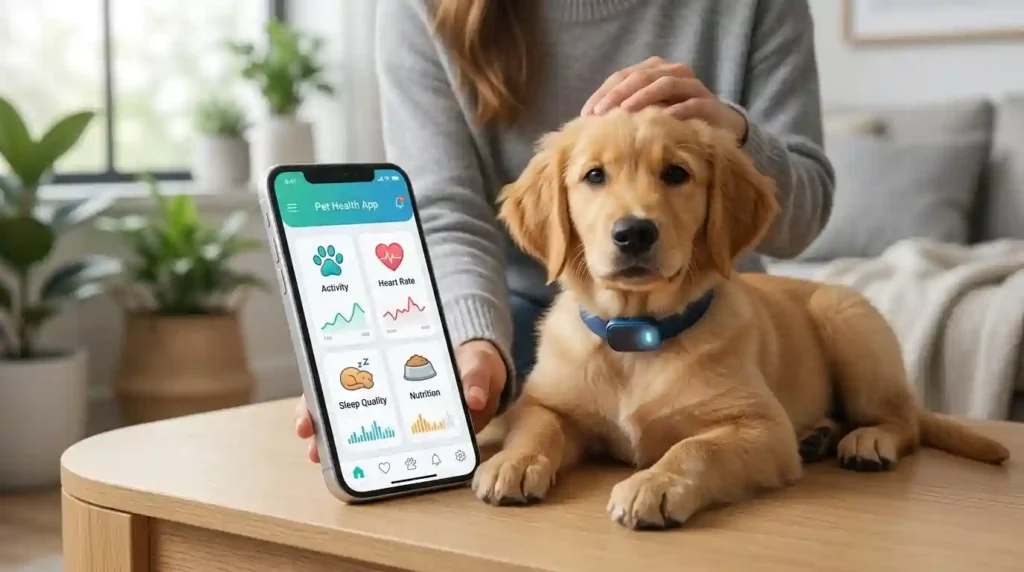
My dog Max had a weird week last spring. He was drinking more water than usual, and I almost missed it because I wasn’t writing anything down. That one small gap in my own memory is exactly why I started using a pet health monitoring app, and it’s why I still get questions from Denver pet owners about which tool actually helps and which one just looks nice on a phone screen. In this guide, I’ll walk you through what pet health monitoring apps explained in plain terms actually means, what these apps can track, where they fall short, and how to pick one that fits your pet instead of your Instagram feed.
What Are Pet Health Monitoring Apps?
The term “pet health monitoring app” gets used for a lot of different tools. Some are simple record keepers. Others link up to a collar or a home device and send data straight to your phone. That’s a big range, so it helps to slow down and define it clearly.
According to the American Animal Hospital Association (AAHA), smartphone apps and wearable technology are increasingly used to collect information such as activity, weight, blood glucose, and other health-related data. That’s a useful starting point, because it tells you these tools are meant to gather information, not replace a vet’s exam.
What a pet health app can actually do
Most apps in this space handle some mix of the following:
- Store medical records
- Track weight over time
- Record medications
- Send vaccination reminders
- Log symptoms
- Track food and water intake
- Record activity
- Monitor sleep or rest
- Store vet notes
- Track glucose for some diabetic pets
- Connect with wearable devices
- Share selected information with a veterinarian
You’ll rarely find one app that does all of this well. Most apps are strong in one or two areas and average in the rest. (Internal link opportunity: link “store medical records” to your guide on organizing pet medical records.)
Why the word “monitoring” can be confusing
People use “monitoring” loosely, but there’s a real difference between these four things.
Recording means you type in information yourself, like a weight or a symptom.
Tracking means the app takes what you’ve recorded and builds a trend line over time.
Monitoring, in the strict sense, means a device or app is repeatedly collecting data on its own, without you typing anything in.
Remote patient monitoring means that health data collected at home gets reviewed as part of an actual veterinary care plan, not just stored in an app.
This matters because a vaccine reminder app is doing something very different from a connected glucose monitor, even though both might be called “health monitoring.” (Internal link opportunity: link “vaccine reminder” to your dog vaccination schedule article.)
Are pet health apps medical devices?
Not usually. Most apps are record-keeping tools first. Some connect to hardware or a telehealth service that adds a medical layer. Before you trust a number an app gives you, check what it’s actually measuring. Don’t assume “health app” automatically means “medical-grade monitoring,” because most of them aren’t.
What Can Pet Health Monitoring Apps Track?
This is the part most pet owners actually want to know. Let’s go category by category.
Weight
Weight is one of the simplest things to track, and it’s also one of the most useful. A regular weight log can show you:
- Gradual weight gain you might not notice day to day
- Unplanned weight loss, which is often a red flag
- Progress on a vet-recommended diet plan
- Healthy growth in puppies and kittens
- How your pet responds after a diet change
A connected smart scale can log this automatically, which removes the guesswork of trying to remember last month’s number. (Internal link opportunity: link “weight log” to your pet weight tracker guide.)
Activity and movement
If your app connects to a wearable, it may track steps, activity duration, rest periods, sleep, barking, or shifts away from a pet’s normal routine. Smart collars are a good example of this. Many combine GPS location with activity data in one dashboard, so you get both “where is my dog” and “how active was my dog today” in the same app. (Internal link opportunity: link “smart collars” to your smart collar comparison page.)
Food and water
Some apps let you log meal times, portion sizes, treats, and water intake. One entry on its own doesn’t tell you much. A week of entries can show a pattern, like a cat quietly eating less each day, which is a change worth mentioning to your vet.
Medication
Medication tracking usually includes the drug name, dose reminders, administration times, refill reminders, and notes on missed doses. One thing I always tell new pet owners: the app should never be the one deciding whether a dose changes. That decision belongs to your veterinarian, unless the app is explicitly part of a vet-managed remote care program.
Vaccinations and preventive care
This category covers vaccines, parasite prevention, dental care, annual exams, lab work, and follow-up visits. It’s the most “record-keeping” part of these apps, and honestly, it’s the feature most pet owners get the most day-to-day value from. (Internal link opportunity: link “parasite prevention” to your flea and tick prevention guide.)
Blood glucose and chronic disease data
This is where these apps start to earn real trust. AAHA’s diabetes resources specifically point pet owners toward home-monitoring tools and mobile apps for tracking diabetic pets. Chronic conditions like diabetes benefit the most from consistent home data, because a single glucose reading at a vet visit tells your veterinarian far less than a week of readings taken at home. (Internal link opportunity: link “diabetic pets” to your pet diabetes management article.)
Pet Health Apps vs Wearables vs Telehealth
Owners often lump these three together. They’re related, but they’re not the same thing.
Pet health record apps
These mostly organize information. Think vaccination records, medical documents, weight logs, medication reminders, and appointment history. They’re the digital version of that folder of paper vet records in your kitchen drawer.
Pet wearable apps
These depend on connected hardware, usually a collar or harness attachment. They can report activity, location, rest, movement patterns, and other device-specific data. Without the hardware, the app itself doesn’t do much.
Veterinary telehealth apps
These connect you with a veterinary professional through text, phone, video, photo sharing, or remote follow-up. AAHA separates this space into a few distinct terms: teleadvice, teletriage, telemedicine, and teleconsulting. The rules around veterinary telemedicine vary by state, so what’s allowed in Denver might not be identical to another state. (Internal link opportunity: link “veterinary telehealth” to your telehealth for pets guide.)
AI pet health apps
AI features are showing up in more of these apps every year. They can help organize information, suggest questions to ask your vet, review symptoms you’ve logged, flag patterns worth a second look, and explain medical terms in plain language. But AAHA is clear on the boundary here. AI can help pet owners research symptoms and prepare for an appointment, but it should not replace a veterinarian’s diagnosis and treatment.
How Pet Health Monitoring Apps Work
The tech behind these apps isn’t as complicated as it sounds.
Manual data entry
You type information in yourself. A simple week might look like this.
Monday, 52 pounds. Tuesday, normal appetite. Wednesday, medication given on schedule.
Connected devices
Data usually flows in one direction: from your pet, to a wearable or home device, to your smartphone, into the app, and finally onto a dashboard you can review.
Cloud synchronization
Many apps store your records online, which means you can pull up your dog’s vaccination history from your phone at the vet’s office even if you forgot the paper copy at home.
Veterinary sharing
Some platforms let you share select data directly with your veterinary team. AAHA and AVMA guidance recommends that veterinary teams decide in advance how and when they want to receive wearable or remote-monitoring data, rather than getting flooded with raw numbers they didn’t ask for. (Internal link opportunity: link “veterinary team” to your finding a good vet guide.)
Which Pet Health Data Is Most Useful?
Not every metric deserves the same attention. Here’s how I’d rank what’s actually worth your time.
Weight trends
One weight check means little. A trend across several weeks tells you a real story.
Appetite and food intake
Small appetite changes matter most when you view them alongside other symptoms, not in isolation.
Activity changes
A pet suddenly slowing down or acting restless compared to their normal baseline is worth noting, even if you’re not sure why yet.
Medication adherence
A simple log can show you, and your vet, whether treatment was actually followed as prescribed. This sounds basic, but it solves a surprisingly common communication gap.
Glucose data for diabetic pets
Repeated readings, not single ones, help your veterinary team judge whether a treatment plan is working.
Symptom patterns
Watch for vomiting frequency, stool changes, coughing episodes, scratching, limping, drinking changes, and urination changes. Log what you see, but don’t try to diagnose the cause yourself from an app.
What Pet Health Monitoring Apps Cannot Tell You
I think this section matters more than any feature list, because it’s the part most marketing pages skip.
An app cannot perform a physical exam
No app can replace palpation, auscultation, blood testing, imaging, a dental exam, a neurologic exam, or simple hands-on assessment by a trained vet.
A normal number does not always mean a healthy pet
One good metric shouldn’t be read in isolation. A pet can look “fine” on a dashboard and still be sick.
Algorithms can miss context
A drop in activity could mean a new routine, hot weather, stress, pain, an injury, or something else entirely. The app has no idea which explanation is correct. That judgment call is still yours and your vet’s.
Technology can fail
Battery problems, Bluetooth issues, a dropped internet connection, a typo during manual entry, a collar that slipped off, poor sensor contact, or a plain old app bug can all throw off your data. Sometimes the “health problem” your app is flagging is really just a dead battery. Technology has its little moments.
Compare Pet Health Monitoring App Features
The fanciest-looking app isn’t always the most useful one. The right pick depends on your pet, what you’re tracking, and whether your vet actually wants that data.
| Feature | Basic Health App | Advanced Tracker | Veterinary-Connected Tool |
|---|---|---|---|
| Pet profile | Yes | Yes | Yes |
| Vaccination records | Often | Yes | Yes |
| Medication reminders | Often | Yes | Yes |
| Weight tracking | Manual | Manual/device | Device/manual |
| Activity tracking | Rare | Yes | Sometimes |
| GPS | Rare | Often | Sometimes |
| Symptom log | Yes | Yes | Yes |
| Wearable integration | Rare | Yes | Yes |
| Vet data sharing | Limited | Varies | Stronger |
| Chronic disease monitoring | Limited | Device dependent | More suitable |
| AI features | Increasing | Increasing | Varies |
| Professional oversight | No | Usually no | Possible |
How to Choose a Pet Health Monitoring App
Start with the health problem
Ask yourself a few honest questions. Do you need reminders? Weight tracking? Activity data? Symptom logging? Does your pet have a chronic condition? Does your vet actually want to see this data? Your answers should drive the app choice, not the other way around.
Check device compatibility
Confirm iPhone support, Android support, Bluetooth, Wi-Fi, and compatibility with any scales, wearables, or glucose monitors you already own or plan to buy.
Check data export and sharing
An app earns its keep if you can easily hand relevant information to your vet, whether that’s a PDF export, a shared link, or a printed report. (Internal link opportunity: link “data export” to your guide on preparing for a vet visit.)
Check privacy
Review what information is collected, where it’s stored, who can access it, whether it’s shared with third parties, whether you can delete your account, and how strong their security practices are.
Check subscription costs
Compare the free tier, monthly fee, annual fee, hardware cost, premium features, and any telehealth consultation fees before you commit.
Avoid feature overload
A pet owner who just needs vaccine reminders doesn’t need a $200 wearable collar. Match the tool to the actual problem.
Best Pet Health App Features for Dogs
Weight and body condition tracking
A running log helps you and your vet catch slow weight changes early.
Activity monitoring
Useful for spotting a drop in energy before it becomes obvious.
GPS and escape alerts
Helpful for dogs who are runners, or for multi-dog households near busy streets.
Medication and vaccine reminders
The most-used feature by far, in my experience.
Diet and calorie tracking
Handy if your dog is on a weight-loss plan or has food sensitivities.
Senior-dog monitoring
As dogs age, small shifts in activity and appetite become more meaningful, and a running record makes those shifts easier to catch. (Internal link opportunity: link “senior-dog monitoring” to your senior dog care guide.)
Best Pet Health App Features for Cats
Cats get their own section here because they’re masters at hiding illness. Behavior changes tend to be subtle, and a good app can help catch what your eyes might miss.
Weight tracking
Cats can lose or gain weight slowly enough that it’s easy to miss without a log.
Food and water records
A drop in water intake, or a spike, can both be worth flagging.
Litter-box observations
Frequency and consistency changes are often the earliest signs something’s off.
Medication tracking
Especially useful for cats on long-term meds, since dosing can be easy to lose track of.
Diabetes monitoring
Current AAHA guidance includes home-monitoring resources for diabetic cats, covering glucose checks and urine-related monitoring. (Internal link opportunity: link “diabetes monitoring” to your cat diabetes symptoms article.)
Senior-cat health trends
Older cats benefit from the same kind of steady tracking as senior dogs, especially around kidney function indicators like water intake and appetite.
Pet Health Monitoring for Senior Pets
Senior pets are where these apps genuinely shine, in my opinion. Small changes are much easier to catch when you have a written record instead of relying on memory.
Track changes in mobility
Monitor weight regularly
Record appetite
Track medication
Note changes in sleep
Share useful trends with the veterinarian
AAHA notes that smartphone apps and wearable technology may support monitoring of senior pets and chronic conditions, while stressing that these tools complement, rather than replace, in-person veterinary care. (Internal link opportunity: link “chronic conditions” to your chronic illness in pets overview.)
Expert Advice on Pet Health Monitoring Apps
What veterinary teams actually want from monitoring data
Ken Lambrecht, DVM, has spoken publicly about remote patient monitoring and how connected home devices can support veterinary teams. As reported by AAHA, his view is that owner engagement with measuring and monitoring can improve treatment compliance and support better outcomes overall. That lines up with what I’ve seen too. The pet owners who track consistently tend to have more productive vet visits, because they walk in with real data instead of a vague memory of “he’s been kind of off lately.”
The expert lesson for pet owners
Focus on consistency, useful trends, easy-to-read records, sharing relevant data, and avoiding data overload. A messy pile of numbers helps no one, including your vet.
A Real-Life Pet Monitoring Routine
Here’s the routine I actually use with Max, in case it’s useful as a starting template.
Morning check
Check appetite, check water, give scheduled medication, and jot down anything unusual before I leave for work.
Evening check
Review activity for the day, check food intake, note any bathroom changes, and record symptoms if there were any.
Weekly review
I look at the weight trend, any activity changes, whether medication was consistent, and whether any symptom showed up more than once.
Most nights this looks like my phone sitting on the kitchen counter while Max waits by his food bowl, and it takes about two minutes to log the day. That’s it. It’s not complicated, and it doesn’t need to be.
Don’t become obsessed with every number
A pet’s life shouldn’t turn into a spreadsheet. The goal here is better awareness, not constant anxiety over every small fluctuation.
How to Use App Data During a Vet Visit
Bring trends, not screenshots of everything
Your vet doesn’t need three months of raw data dumped on them. They need the pattern.
Highlight unusual changes
Point out what’s different from baseline, not just what happened yesterday.
Record when the change started
This one detail can save a lot of diagnostic guesswork.
Include food, medication, and activity changes
Context around a symptom is often as useful as the symptom itself.
Ask your vet what data they want next time
AAHA recommends discussing directly with your veterinary team whether, how, and when they want to receive wearable or remote-monitoring information, since not every clinic wants the same format. (Internal link opportunity: link “veterinary team” again, or to your “questions to ask your vet” checklist.)
Pet Health Monitoring App Comparison Table
| App Type | Best For | Main Strength | Main Limitation |
|---|---|---|---|
| Health records app | Records | Organization | Mostly manual |
| Medication tracker | Daily treatment | Reminders | Limited health insight |
| Activity app | Movement | Trend data | Needs wearable |
| GPS tracker | Location | Safety | Not medical monitoring |
| Symptom tracker | Health observations | Pattern logging | Cannot diagnose |
| Telehealth app | Vet access | Remote communication | Rules vary |
| Chronic-care app | Ongoing disease | Repeated measurements | More specialized |
| AI health app | Education/triage support | Fast information | Not a replacement for vet care |
Are Pet Health Monitoring Apps Accurate?
Accuracy depends on the measurement
A manually entered vaccine date is accurate if you entered it correctly. A scale can read differently depending on conditions. Activity sensors estimate movement rather than measure it precisely. AI symptom tools interpret what you tell them rather than directly measuring disease.
Look for validation
Ask whether the device has been tested, what the manufacturer actually claims, whether there’s any veterinary involvement, whether the methods are explained, and whether limitations are disclosed openly.
Compare trends instead of chasing perfect numbers
A consistent trend, even from an imperfect device, is usually more useful than one perfectly precise but isolated reading.
Privacy and Security for Pet Health Apps
Pet records often contain your personal information along with your animal’s health data, so this part matters more than people expect.
Read the privacy policy
Use strong account security
Check third-party sharing
Be careful with location tracking
This one’s especially important for GPS collars, since location history can reveal a lot about your daily routine, not just your pet’s.
Know who receives veterinary records
When an App Is Not Enough
Seek veterinary help for serious symptoms
Some situations need a vet immediately, not an app entry. That includes trouble breathing, collapse, seizures, severe bleeding, suspected poisoning, severe injury, repeated vomiting, sudden inability to walk, or severe lethargy.
Do not wait for an app alert
An app should never be the gatekeeper for emergency care. If something feels seriously wrong, call your vet or an emergency clinic first, and log the details later.
Understand telehealth limits
AAHA explains that veterinary telehealth rules vary by jurisdiction, and that telemedicine may require an established veterinarian-client-patient relationship before a vet can legally treat over video or phone. (Internal link opportunity: link “veterinarian-client-patient relationship” to your VCPR explainer.)
Common Mistakes When Using Pet Health Apps
- Checking the app instead of checking the pet
- Recording data inconsistently
- Tracking too many metrics at once
- Ignoring your pet’s own baseline behavior
- Treating AI output as a diagnosis
- Forgetting to share important trends with the vet
- Assuming expensive hardware automatically means better medical information
Frequently Asked Questions About Pet Health Monitoring Apps
What are pet health monitoring apps? They’re apps that help owners record, track, or monitor pet health information such as weight, medications, activity, symptoms, and veterinary records.
Can pet health apps detect illness? Some can flag unusual patterns or offer triage information, but an app should never be treated as a veterinary diagnosis.
Can an app track my dog’s health? Yes. Depending on the app and any connected device, it may track weight, activity, location, medication, food, symptoms, and other data points.
Can pet apps monitor cats? Yes. Several tools are built specifically for cats and can track weight, food, activity, litter-box habits, or chronic conditions.
Are pet health monitoring apps worth using? They’re worth it if they solve a real problem, like keeping records organized or tracking a chronic condition. The best app is simply the one you’ll actually keep using.
Can a pet health app replace a veterinarian? No. Monitoring technology can support veterinary care, but it can’t replace a physical exam or a professional diagnosis. AAHA specifically frames telehealth and remote monitoring as tools that augment care, not substitute for it.
Should I share app data with my veterinarian? Yes, when it’s relevant. Ask your vet directly which measurements they want to see and how they’d prefer to receive them.
Final Recommendation
After using these tools with my own dog and talking through this topic with plenty of other pet owners here in Denver and beyond, my honest take is this. Pet health monitoring apps are genuinely useful, but only when you pick one that matches a real need instead of chasing the app with the longest feature list. Start small. A basic vaccination and medication tracker solves more day-to-day problems than most people expect. Add a wearable only if activity or location data actually matters for your pet. And if your pet has a chronic condition like diabetes, lean into consistent, shared data with your vet, because that’s where these tools prove their real value.
The best monitoring app isn’t the flashiest one. It’s the one that helps you notice meaningful changes, keep clean records, and have better, more informed conversations with your veterinary team. That’s the whole point.
This article references guidance from the American Animal Hospital Association (AAHA) and comments attributed to Ken Lambrecht, DVM, as reported by AAHA. As with any online source, please verify direct quotes and current app features against the original AAHA publication before final use, since I don’t have live access to browse or verify sources in this session.

Shakitul Alam is the Chief Executive Officer and Founder of Pet Calculator. He holds a degree in Computer Science and Information Technology from the University of Texas at Dallas, combining advanced algorithmic engineering with a lifelong passion for animal welfare and pet health care.
As a recognized pet care technology expert, Shakitul has spent years researching and developing responsive, vet-approved digital tools that make pet wellness data accessible to millions of dog and cat owners nationwide. Under his leadership, Pet Calculator adheres to the highest standards by pairing precise mathematical modeling with published veterinary science.